Terms & Conditions (T&Cs)
Write and publish your terms and conditions. They are shown to your guests when booking.
Access: Owners only.
Access
Settings > T&Cs in the sidebar, or directly via the T&Cs section.
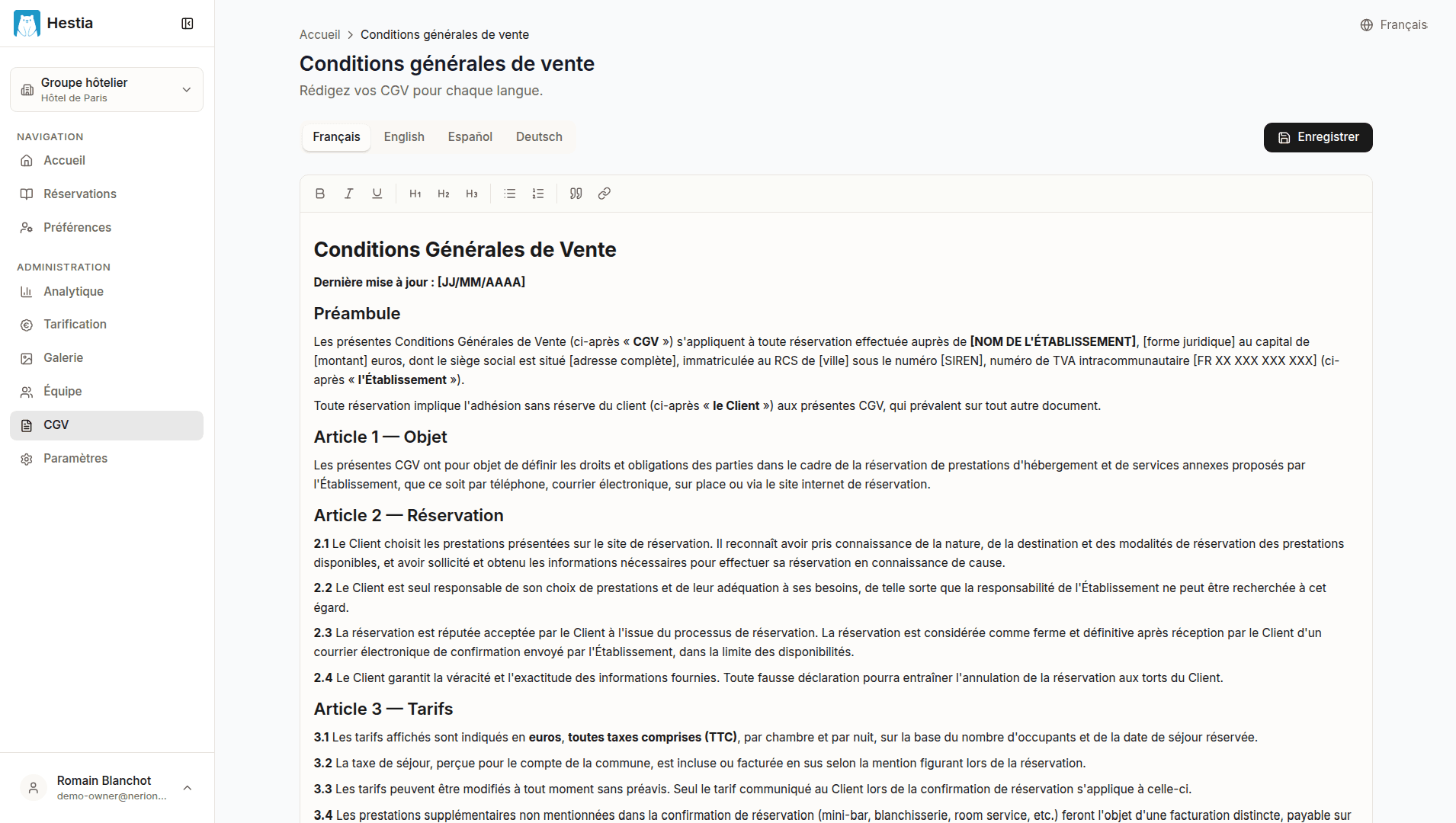
On this page:
- Language tabs (FR, EN, ES, DE) for translations
- Rich text editor toolbar (headings, bold, italic, lists, links)
- Content editing area
- Save button
Rich text editor
Available formatting tools:
- Headings and subheadings
- Bold, italic, underline
- Bulleted and numbered lists
- Hyperlinks
- Structured paragraphs
Translations
You can write your T&Cs in each supported language:
- French
- English
- Spanish
- German
Use the language tabs to switch between versions.
Publishing
Click Save to publish your T&Cs. They are immediately visible:
- On your public page
/cgv - In the booking flow (validation step)
- Via the link in confirmation emails
Tip: Have your T&Cs reviewed by a legal professional before publishing them.
Last updated on