Cancel a booking
Cancellation lets you close a confirmed booking. The cancellation is reflected in the PMS and the customer is notified by email.
Prerequisite
The booking must have the Confirmed status.
To turn down a request that is not yet confirmed, use Decline a booking instead.
Procedure
- Open the booking detail
- Click the Cancel button
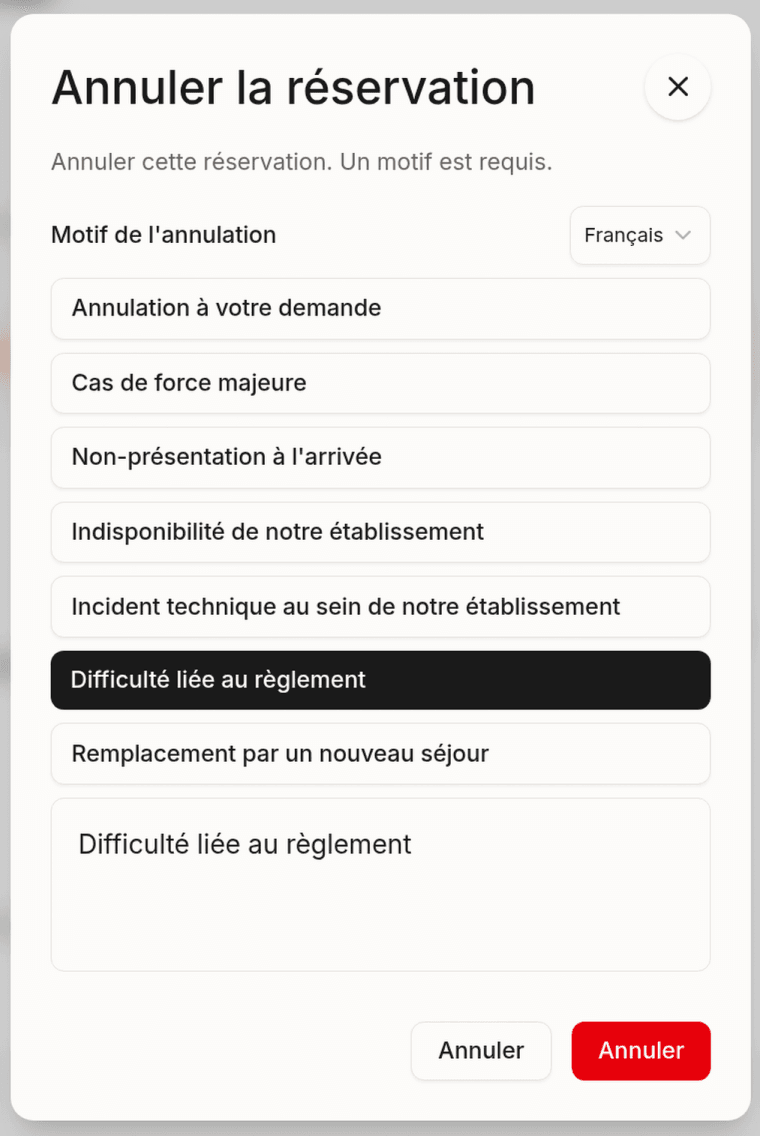
- Select a cancellation reason:
| Reason | Use case |
|---|---|
| Customer request | The customer wants to cancel their booking |
| Force majeure | Unforeseen event (disaster, forced closure) |
| No-show | The customer did not show up |
| Property unavailable | Works, temporary closure |
| Technical incident | Technical issue preventing the stay |
| Payment issue | Payment declined or not received |
| Replaced by a new booking | The customer rebooked |
- (Optional) Add an additional comment
- Click Confirm the cancellation
Result
- The status changes to Canceled
- The cancellation is synced with the PMS
- The customer receives a cancellation email with the reason
- The reason is visible in the booking detail
Warning: Cancellation is irreversible. Once canceled, the booking cannot be reactivated. If the customer wants to make a new booking, they will have to submit a new request.
Last updated on