Preferences and notifications
Access: all roles. Click Preferences in the sidebar.
Automatic notifications
Hestia automatically sends emails at each stage of the booking lifecycle.
Emails sent to customers
| Event | Email subject |
|---|---|
| Request submitted | ”Booking request received” |
| Booking confirmed | ”Your booking is confirmed” |
| Booking modified | ”Your booking has been modified” |
| Booking canceled | ”Cancellation of your booking” |
| Booking refused | ”Booking request refused” |
| Booking expired | ”Your request has expired” |
Emails sent to staff
The same events, sent to all team members.
Email content
Each email contains:
- Booking number
- Traveler information (name, email, phone)
- Stay details (dates, rooms, travelers, services)
- Price breakdown and total
- An action button to the booking or the tracking page
- The property’s contact details
Emails are sent within the minute. If sending fails, it is retried automatically.
Configure your alerts
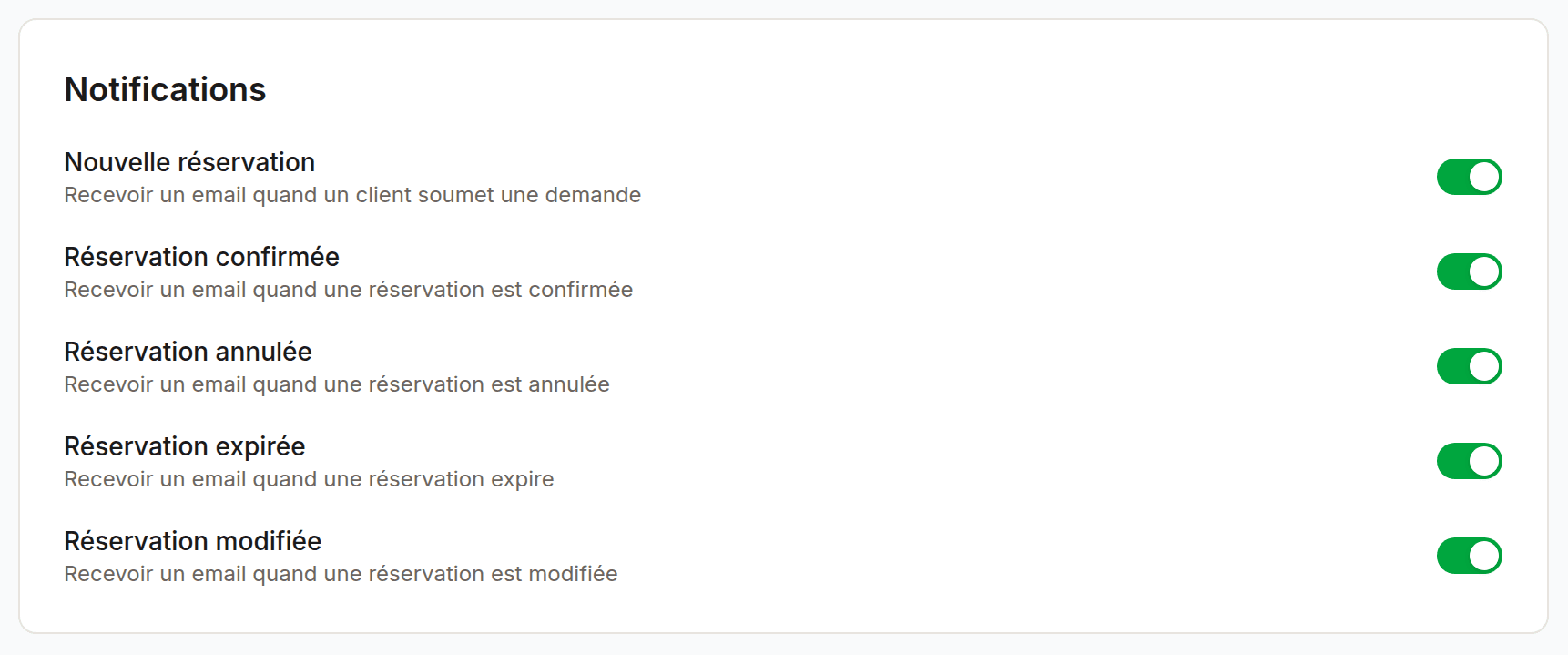
Enable or disable alerts for each type of event:
| Event | Default |
|---|---|
| New booking | On |
| Booking confirmed | On |
| Booking modified | On |
| Booking canceled | On |
| Booking expired | On |
| Booking refused | On |
The toggles save automatically. These preferences are individual: each member configures their own alerts independently.
Inbox account
The inbox account created at sign-up always receives a copy of all notifications. Its preferences are locked.
Email language
The language is detected from your browser on first sign-in.
Custom email domain
By default, emails are sent from a generic address. Owners
can configure a custom domain
(e.g. reservations@your-hotel.com).
Last updated on