Image management
Add photos of your property, your rooms, and your services. They are displayed on your booking page.
Access: Owners and Managers.
Access
Click Gallery in the sidebar.
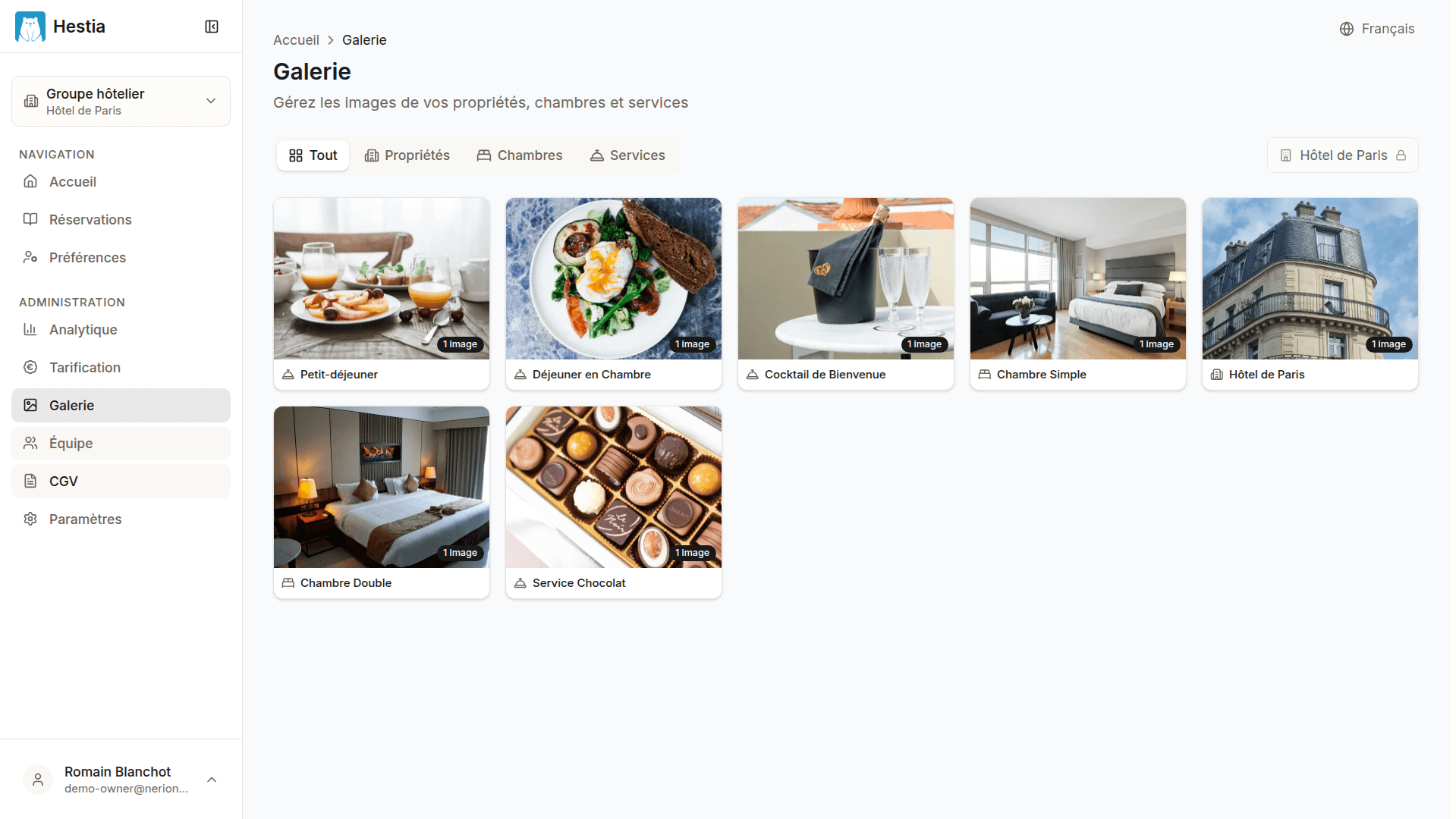
On this page:
- Filter tabs by category (All, Properties, Room types, Services)
- “Add an image” button
- Image grid with a “Primary” badge (gold star) on the hero image
- Image counter per entity
Organization
Images are organized by category:
| Category | Description | Use |
|---|---|---|
| Property | Photos of the property (facade, lobby, common areas) | Hero image of the booking page |
| Room types | Photos of each room category | Shown in the room selection |
| Services | Photos of the services offered (spa, restaurant, parking) | Shown in the service selection |
Use the filter tabs at the top of the gallery to display a specific category.
Primary image (hero)
Each entity (property, room type, service) has a primary image that is displayed first on the booking page.
The primary image is identified by a gold star.
Last updated on