Rate plans
Rate plans define the base price of each room type for each night.
Overview
On this page:
- Property selector (if multiple properties)
- List of plans with name, code, room type, type (base/derived), price range and status
- Plan status: Open (bookable) or Closed
Columns shown
| Column | Description |
|---|---|
| Name | Rate plan name (e.g. “B&B”, “Half board”) |
| Code | Technical plan code |
| Room type | Room the plan is associated with |
| Type | Base (fixed price) or Derived (calculated from a base rate) |
| Price range | Minimum and maximum price over the period |
| Status | Open (bookable) or Closed |
Property selector
If your account manages multiple properties, use the selector at the top of the page to choose the property whose rates you want to view.
Sync all
The Sync all button at the top of the page subscribes every rate plan distributed on the selected property’s IBE channel and triggers one full sync. Every plan’s rates load at once, without having to sync each plan one by one.
Base and derived plans
Base plan
A base plan has prices set manually night by night.
Derived plan
A derived plan calculates its prices automatically from a base plan, applying an adjustment:
- Percentage: e.g. +10% of the base rate
- Fixed amount: e.g. +20 EUR per night
The derivation formula is shown in the “Type” column.
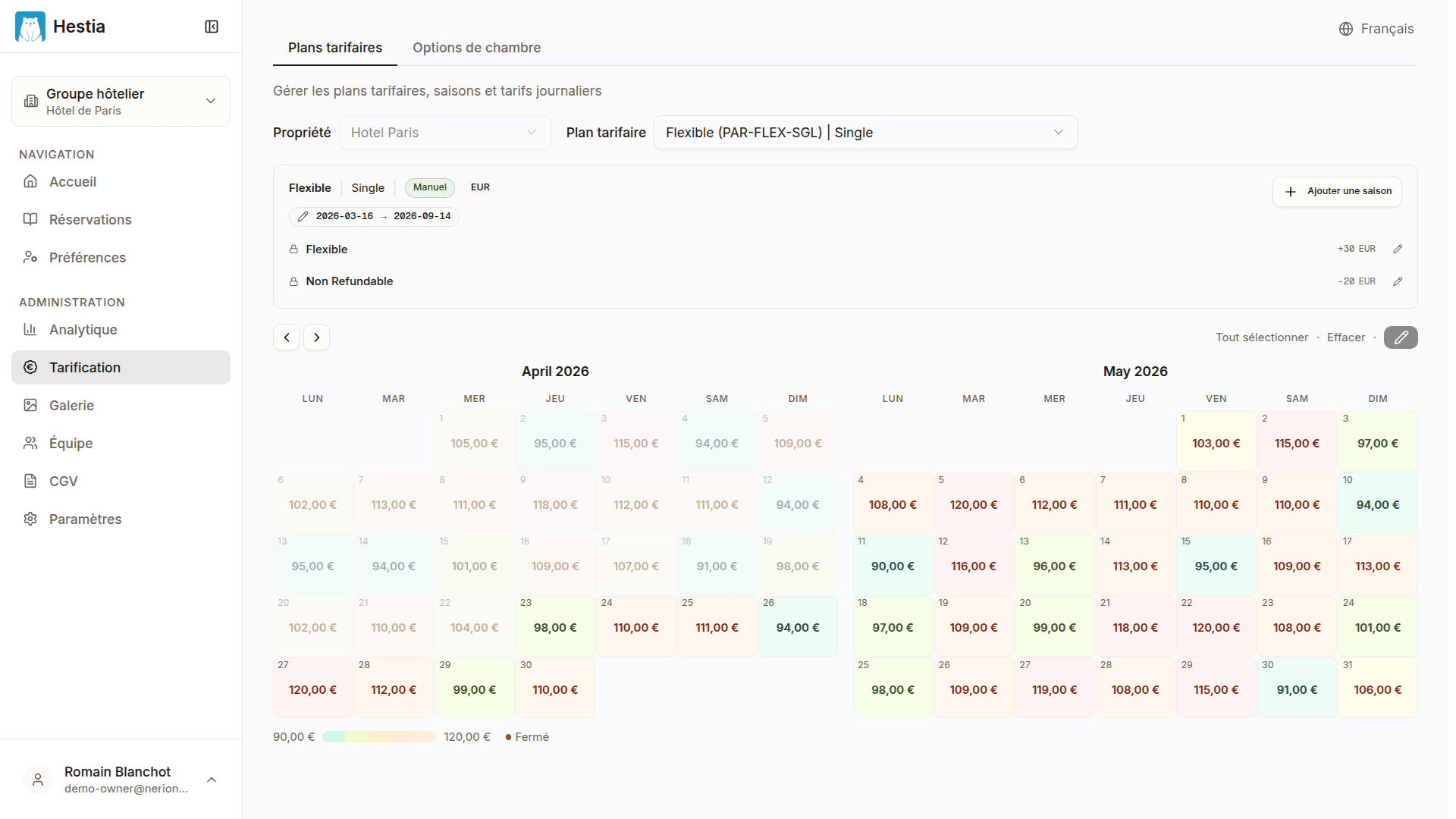
Rate calendar view
Click a rate plan to view its prices as a calendar.
Note: Rate plans are synced from your PMS (Apaleo). Price changes are made in the PMS and reflected automatically.