Bookings - Overview
Receiving, processing, confirming and tracking booking requests.
Access
Go to Bookings from the sidebar.
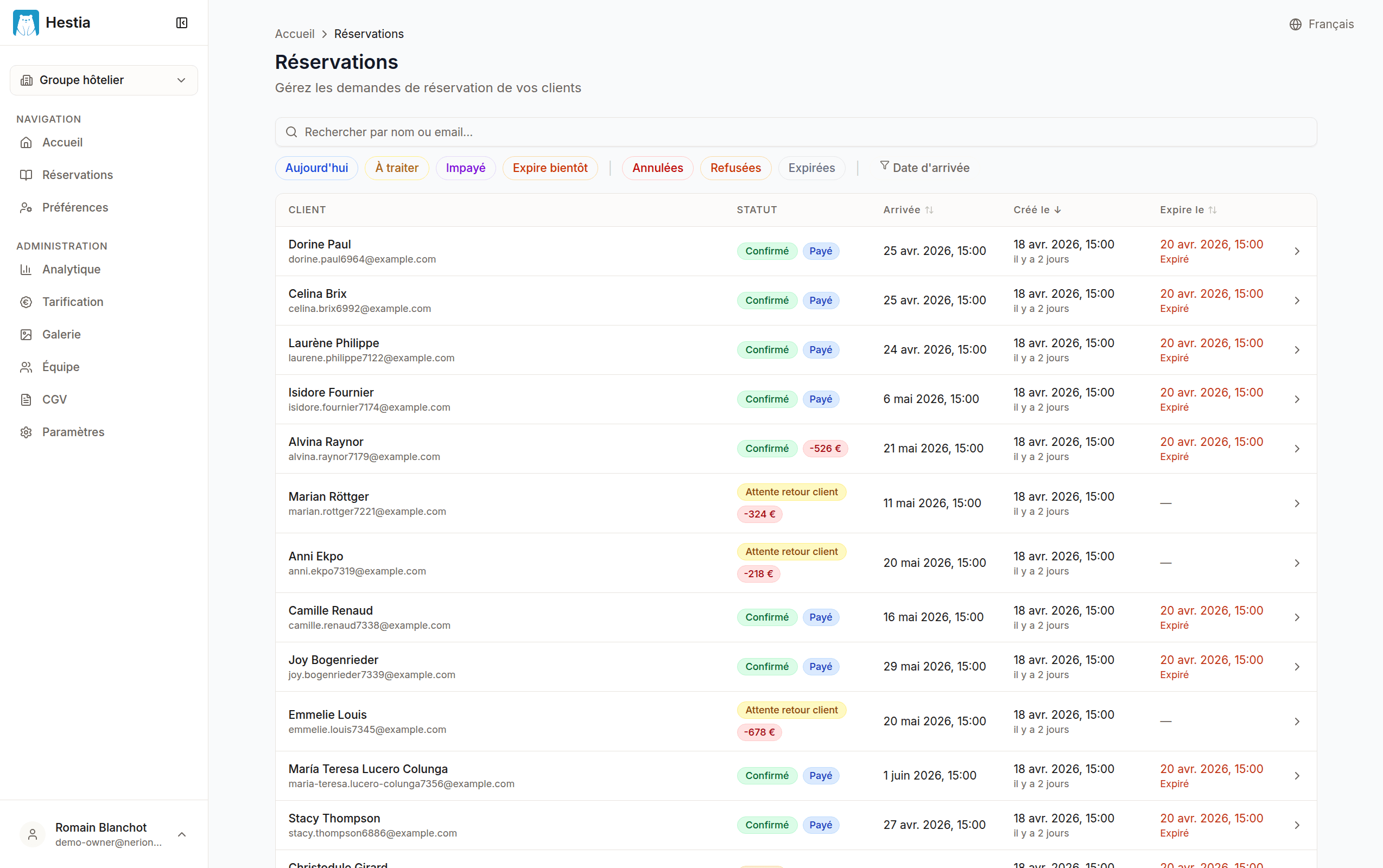
On this page:
- Search bar by name, email or booking number
- Filters by status, date, criteria
- Bookings table with sortable columns
- “Expiring soon” badge on urgent requests
Typical workflow
- A customer submits a request from your booking page
- You receive an email notification
- You take charge of the request: you contact the customer to confirm their booking and ask for the deposit/payment via your usual payment method
- You confirm the booking (with or without a reply from the customer): the booking is synced to your PMS
- The customer receives a confirmation email
Statuses
| Badge | Use case |
|---|---|
| To process | New request received, customer not yet contacted |
| Awaiting response | Customer contacted, awaiting payment or validation |
| Confirmed | Booking validated and sent to the PMS |
| Canceled | Booking confirmed then canceled (cancellation fees possible) |
| Expired | Request not processed within the allotted time, or left unconfirmed after the arrival date |
| Declined | Request turned down (no availability, rate unavailable…) |
Displayed columns
| Column | Description |
|---|---|
| Customer | First and last name of the lead guest |
| Status | Colored badge indicating the booking state |
| Arrival | Expected arrival date |
| Created on | Date the request was submitted |
| Expires on | Expiry date (with “Expiring soon” badge if < 24h) |
Each column is sortable by clicking the header.
Search
Search bar:
- Customer name (first or last)
- Email address
- Booking number
Filters
Filters button:
By status: tick one or more statuses.
By date:
- Creation date: from / to
- Arrival date: from / to
Quick filters:
- Today: arrivals of the day (excludes canceled, declined or expired bookings)
- To process: new requests received (status “To process”)
- Awaiting response: bookings awaiting a customer reply (status “Awaiting response”)
- Prepayment due: confirmed bookings whose prepayment has not yet been fully received
- Expiring soon: bookings expiring in less than 24 hours
Opening a booking
Click a row to open the booking detail.
Last updated on